SpeedDoc logo: an orange page with a lightning boltSpeedDoc

A simple PDF editor. Nothing extra.

Edit, fill and sign PDFs on your own computer. Every tool is on one toolbar. No subscription, no sign-in, and your files are never uploaded.

WindowsComing soon to the Microsoft Store MacComing soon to the Mac App Store

Free at launch. No subscription.

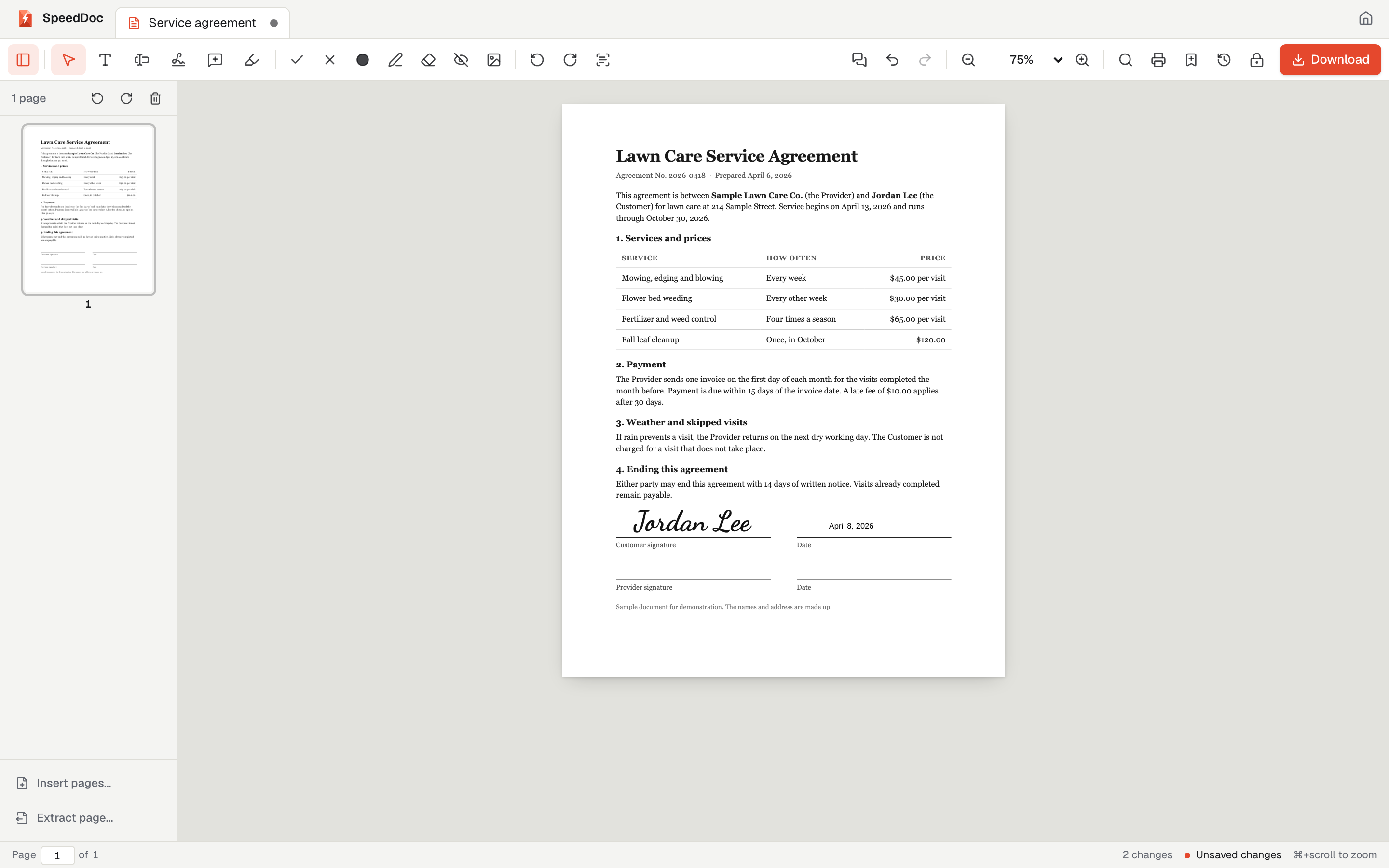
SpeedDoc with a lawn care service agreement open. The customer signature line is signed Jordan Lee and the date is typed in. One toolbar across the top holds every tool.
A signed agreement in SpeedDoc. The signature and the date took two tools from the one toolbar.

Built for people who just need the PDF done

Most PDF apps keep adding things. SpeedDoc does the everyday jobs and stays out of the way.

Every tool on one toolbar

Sign, add text, highlight, redact and the rest are one click each. There are no menus to dig through, and most tools have a one-letter shortcut.

Nothing pops up over your work

No assistant panel, no offers, no "summarize this" bar. SpeedDoc asks one question the first time you open it, then it stays quiet.

No account and no subscription

There is nothing to sign in to. Open the app and it goes straight to your PDF.

Your files stay on your computer

SpeedDoc never uploads a document. Signing, redaction, password protection and text recognition all happen on your own machine, so it also works with no internet.
What it does

  • Edit textChange the words already in a PDF, a line or a paragraph at a time.
  • Fill and signType into forms, add checkmarks, and draw, type or upload your signature. It is saved for next time.
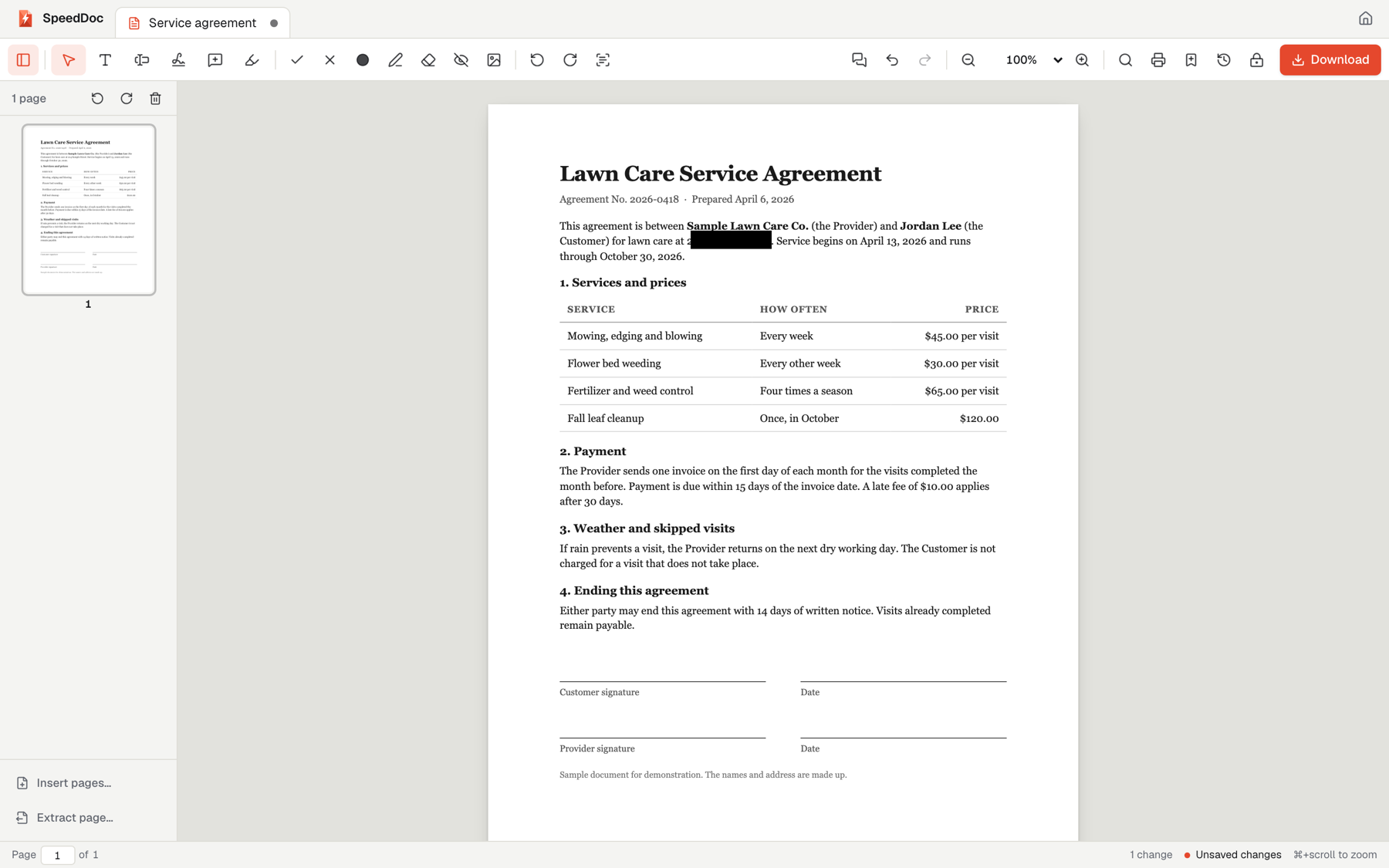
  • RedactRemove names, numbers or whole sections for good. SpeedDoc saves a separate copy with the content gone.
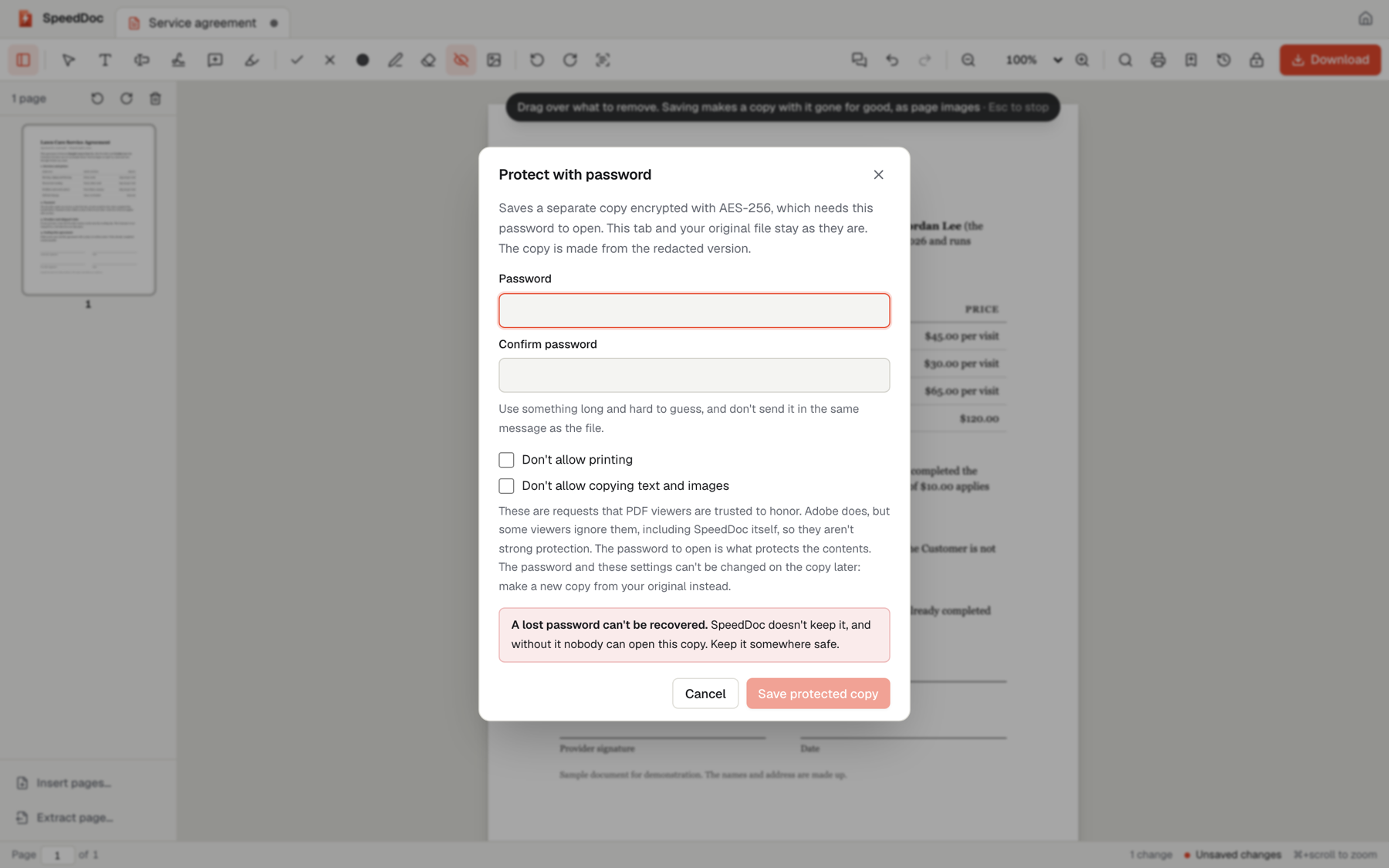
  • Protect with a passwordSave an encrypted copy that needs a password to open.
  • Comment and highlightNotes are saved as real PDF comments, so they show up in other PDF apps too.
  • Combine and arrange pagesJoin PDFs and pictures into one file. Reorder, rotate, delete or pull out pages.
  • Compare two versionsSee what changed between an older and a newer copy, side by side.
  • Make scans searchableReads the words on scanned pages so you can search them. English only.
SpeedDoc with the street address in a service agreement covered by a black redaction box
Redact: drag over what has to go.
SpeedDoc's Protect with password window, which explains that a lost password cannot be recovered
Password protection that tells you plainly what it does.

What it does not do

  • It does not convert PDFs to Word or Excel.
  • Text recognition reads English only.
  • It is for Windows and Mac. There is no phone app.

Questions

Is it really free?

Yes, SpeedDoc is free at launch. There is no subscription and no trial that turns into a charge.

Do I need an account?

No. SpeedDoc has no sign-in at all.

Do my files leave my computer?

No. SpeedDoc has no server to send them to. Everything it does happens on your own computer, including text recognition and password protection.

Does it work without internet?

Yes. Nothing in SpeedDoc needs a connection.

Can other PDF apps open what I save?

Yes. SpeedDoc saves ordinary PDF files. Signatures, comments and form answers show up in other PDF apps.

Who makes it?

Okeke LLC, a small software company in Wichita Falls, Texas. Get in touch if something does not work the way you expect.